
Xero cash flow forecasting software
Budgee turns Xero bank balances, invoices, bills, repeating items, contacts, and transaction history into a practical short-term cash flow forecast.
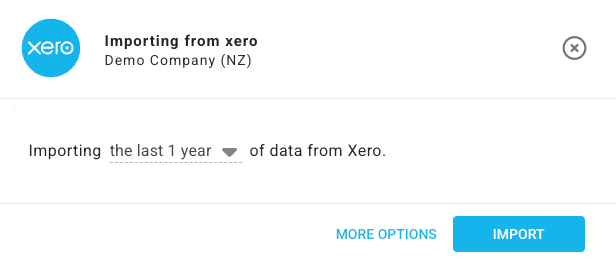
Xero is the source. Budgee is the cash decision layer.
Xero is where the accounting data lives. Budgee is where that data becomes a cash decision.
A business can have invoices in Xero, bills entered, repeating items set up, and bank balances reconciled, but still not know whether payroll, GST, supplier payments, and owner drawings work in the same week.
What Budgee brings in from Xero
Budgee imports the Xero data needed to build a useful short-term cash view, then lets you adjust timing where the accounting record and the cash reality are different.
Bank balances
Invoices
Bills
Repeating invoices
Repeating bills
Contacts
Transaction history for forecast assumptions
For the product steps, see Import options and progress.
Invoice due dates are not always cash receipts
The invoice may be due this Friday. The customer may pay next Thursday. That timing gap can decide whether payroll, GST, and supplier bills fit.
Budgee helps you test that gap. Move the expected receipt date, review the cash impact, and decide whether the invoice needs attention now.
Related guide: What if customers pay late?
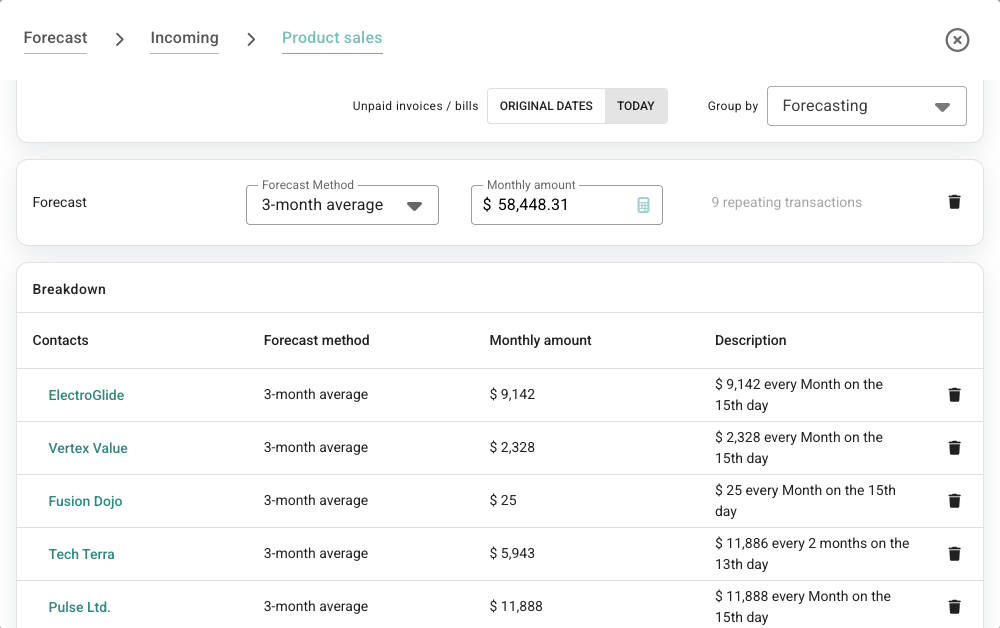
Build a forecast from Xero, then review the assumptions
The import is not the finish line. The useful work starts when the forecast is checked against what the owner, accountant, or bookkeeper knows about timing.
- Generate a forecast from past Xero activity.
- Prefer known Xero repeating invoices and bills where they exist.
- Review known future items.
- Add manual or scenario items.
- Check the forecast graph.
- Edit the assumptions table.
- Use the breakdown table to see how changes move through the forecast.
See the help guide: Automatic forecasting.
Example: GST, payroll, and late receipts
A Xero-connected business has GST due next week and payroll two days later. The bank balance looks fine today, but two large customer invoices are expected just before those payments.
In Budgee
- Refresh the Xero data.
- Review upcoming invoices, bills, and bank balances.
- Move one expected customer payment later.
- Check whether GST and payroll still fit.
The decision
Decide whether to chase the invoice, move supplier bills, delay drawings, or prepare funding earlier.
Forecast GST paymentsXero data plus scenarios
Some cash questions cannot be answered by imported data alone. They need a what-if.
Budgee scenarios let you model a late payment, moved bills, rising costs, owner drawings, or a large one-off purchase, then turn the scenario on and off to compare the cash outcome.
See the help guide: Scenarios guide.
Budgee vs a Xero cash flow spreadsheet
| Xero spreadsheet workflow | Budgee workflow |
|---|---|
| Export data manually from Xero | Import Xero data into Budgee |
| Edit dates and formulas by hand | Review timing and assumptions in the app |
| Copy tabs for scenarios | Turn scenarios on and off |
| Hard to keep one trusted version | Shared organisation access with view or edit permissions |
| Static table for meetings | Forecast, dashboard, and report views |
For the full comparison, see Cash flow software vs spreadsheets.
FAQ
Does Budgee connect to Xero?
Yes. Budgee connects to Xero and can import bank balances, invoices, bills, repeating invoices and bills, contacts, and transaction history.
Why not just use Xero reports?
Xero reports are useful, but Budgee is designed for short-term cash forecasting, timing changes, scenario planning, and cash review conversations.
Can Budgee forecast GST or tax timing?
Yes. Budgee can help include GST and other tax timing in the cash forecast so those payments are visible before they become urgent.
Can I test late customer payments?
Yes. You can move expected receipt timing and use scenarios to see how delayed cash affects the forecast.
Turn Xero data into a forecast people can act on.
Import the records, review the timing, test the scenarios, and use the forecast in the next cash conversation.