
Cash flow software vs spreadsheets
Spreadsheets are fine for simple cash forecasts. But Budgee is great when the forecast needs to stay connected to Xero, handle timing changes, support scenarios, and be trusted in real meetings.

Start with the honest answer
You do not always need software. If the business is simple, the forecast is occasional, and one person owns the model, a spreadsheet can be the right tool.
The problem is not that spreadsheets cannot calculate cash. The problem is that live cash decisions need a forecast people can trust quickly.
If you are learning, start with the cash flow forecast template.
When a spreadsheet is enough
- You are learning how cash forecasting works.
- The forecast is one-off.
- The business has simple cash timing.
- You do not need scenarios.
- One person owns the file.
- You are comfortable updating it manually.
When it becomes risky
- You export from Xero, then copy and paste into the model.
- Payment dates keep changing.
- Scenarios are handled by copying tabs.
- The accountant and owner email different file versions.
- Someone is afraid to touch the formulas.
The Xero refresh problem
Cash forecasts get stale quickly. If a spreadsheet starts from last week's Xero export, the first question in every meeting becomes: is this still current?
Budgee imports Xero bank balances, invoices, bills, repeating invoices and bills, contacts, and transaction history, then helps you review cash timing from there.
See Xero cash flow forecasting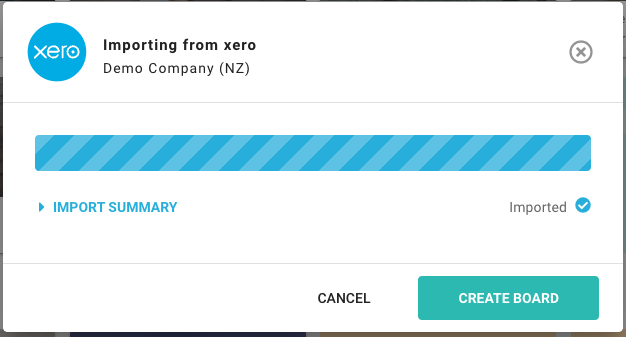

The scenario-copy problem
In a spreadsheet, scenarios often become copies: base case, late customer case, delayed bill case, new hire case, owner drawings case, and final-final-revised case.
In Budgee, scenarios are designed to be tested without rewriting the base forecast. Model a possible change, turn it on and off, and compare the cash impact.
Read the scenarios guideComparison
| Question | Spreadsheet | Budgee |
|---|---|---|
| Starting point | Manual data entry or Xero export | Xero-connected import |
| Timing changes | Manual date edits | Move timing inside the workflow |
| Scenarios | Copied tabs or files | Scenarios can be turned on and off |
| Daily vs weekly view | Must be designed manually | Review by day, week, month, or year |
| Dashboard | Usually built separately | Dashboard and report tables included |
| Sharing | File copies and permissions | Organisation access with view or edit roles |
| Export and print | Flexible but manual | CSV/XLSX export and printable dashboards |
| Best use | Learning and one-off planning | Recurring cash control and advisory |
Example: payroll before receipts
The weekly spreadsheet says the business ends Friday with positive cash. Payroll is due Wednesday and two customer receipts are expected Thursday. If one receipt slips, Wednesday becomes the problem.
Example: owner drawings
A spreadsheet can model owner drawings. Budgee makes it easier to test the withdrawal as a scenario against upcoming invoices, bills, GST, and payroll.
Can I take money out?Use both if that is the right stage
This is not a spreadsheet vs software purity test. Use the spreadsheet to learn the cash forecast structure. Use Budgee when the forecast needs to stay alive, stay connected to Xero, and support decisions in meetings.
FAQ
Are spreadsheets bad for cash flow forecasting?
No. Spreadsheets are useful for simple forecasts, learning, and one-off planning. They become risky when the forecast needs to be updated, shared, and used for recurring decisions.
Why move from a spreadsheet to cash flow software?
Move when you need Xero-connected data, scenarios, dashboards, shared access, and a workflow that can be trusted in meetings.
Does Budgee replace spreadsheets entirely?
No. Spreadsheets are still useful for analysis and export. Budgee replaces the fragile live cash forecast workflow.
Can Budgee export to Excel?
Yes. Budgee can export to CSV or XLSX, and dashboard pages are designed to be printed to PDF.
What should I do first?
If you are learning, download the template. If you already use Xero and need regular cash decisions, Budgee is the stronger fit.
Start simple. Use Budgee when the forecast becomes operational.
Download the spreadsheet if you are learning. Budgee is great when you already need Xero refreshes, scenarios, dashboards, and shared review conversations.