
Archived cards
Review, restore, or permanently delete archived transactions, recurring items, and forecast items.
Use the archive when you need to:
- review items removed during cleanup
- restore a transaction or repeating series
- check who archived an item and when
- inspect archived imported items after repair work
- permanently delete items you no longer need
Where to find archived cards
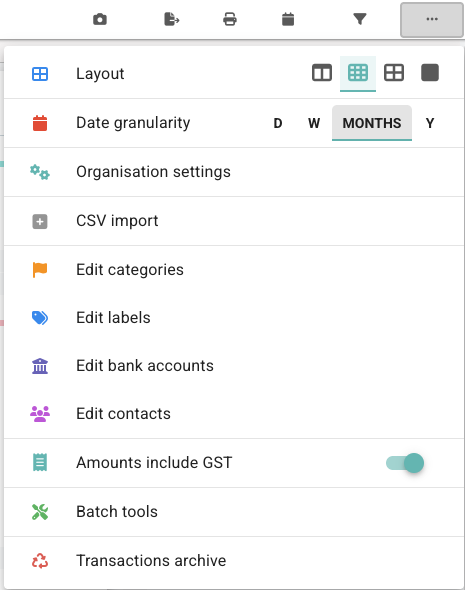
Open Options in the board header, then choose Transactions archive.
You may also reach the archive from import information areas when archived imported transactions or series need review.
What the archive shows
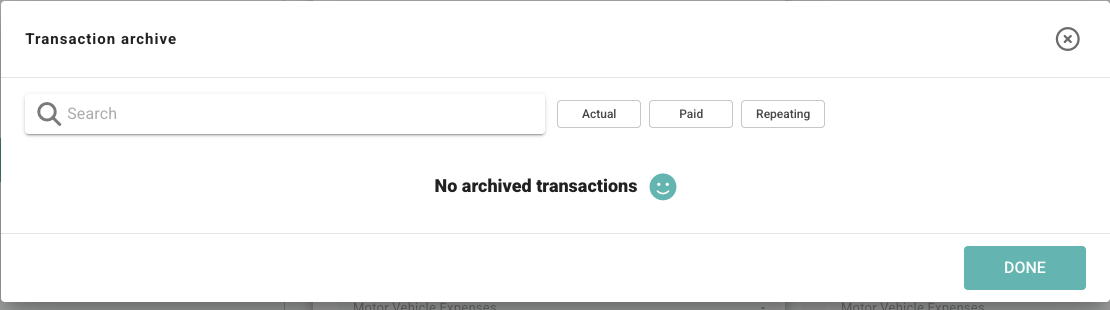
The Transaction archive brings archived items into one review table.
Depending on the board data, it can include:
- archived transaction cards
- archived recurring series
- archived repeating instances
- archived forecast assumption items
- archive context from imports or cleanup tools
Search and filter the archive
Use the search field to find archived items by text such as description, category, date, amount, or archive context.
Use the status filters when you want to narrow the list.
| Filter | What it shows |
|---|---|
| Actual | Archived actual accounting items. |
| Paid | Archived items marked as paid or received. |
| Repeating | Archived repeating items or series-related records. |
Read the archive table
Columns can include:
| Column | What it means |
|---|---|
| Date | The due date or relevant transaction date. |
| Description | The item description, plus tags such as Actual, Paid, or repeating details where relevant. |
| Amount | The archived amount. |
| Category | The category linked to the archived item, if available. |
| Archived on | The date Budgee can identify for when the item was archived. |
| Archived by | The user Budgee can identify for the archive action. |
| Actions | Restore or delete actions for the archived item. |
Restore or delete an archived item
Restore
- Find the archived item.
- Click RESTORE.
- Confirm any context-specific restore prompt.
Restore brings the item back into the active board where it can be used again.
Delete
- Find the archived item.
- Click DELETE.
- Confirm the delete action.
Delete is permanent. Use it when you are sure the archived item no longer needs to be kept.
Some archived system items, such as sales tax records, may not allow delete from the archive.
When to use the archive
- After using current-period cleanup to archive drafts, invoices, or bills.
- After using Batch tools or multi-select actions to archive several cards.
- After import repair work when Budgee has archived imported records to match the accounting source.
- When a user says a transaction disappeared and you need to check whether it was archived.