
How Budgee reduces forecasts when actuals arrive
Understanding automatic forecast adjustments to avoid double counting
When Enable Automatic Forecast Adjustments is turned on, Budgee tries to stop actual transactions and forecasted transactions from both being counted for the same expected activity.
In simple terms, when a real transaction is imported, Budgee looks for a matching forecast and reduces it. If the actual only covers part of the forecast, the rest of the forecast stays in place.
A category is the cash flow grouping Budgee uses for related transactions.
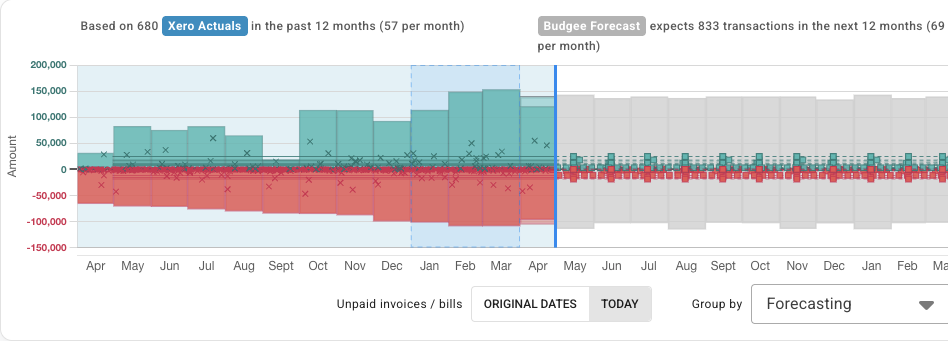
How Budgee finds a match
Budgee first looks for a clear match between the imported actual and a forecast-generated transaction.
It looks for signals such as:
- the same category and cash flow direction
- a nearby forecast date
- a matching customer, supplier, or contact where available
- a similar amount where possible
At month edges, Budgee can match across the boundary. For example, a forecast dated 30 April can be reduced by an actual paid on 1 May when the customer and timing make it likely to be the same cash flow.
If Budgee cannot find a clear nearby match, it falls back to the normal monthly category pool.
A simple example
Imagine Budgee has forecasted:
- Month: April
- Category: Sales
- Customer: Acme Ltd
- Forecast amount: $1,000
Then a real imported transaction arrives for:
- Month: April
- Category: Sales
- Customer: Acme Ltd
- Actual amount: $700
Budgee reduces the forecast-generated amount from $1,000 to $300.
So instead of showing:
- Actual: $700
- Forecast: $1,000
Budgee shows the remaining forecast as:
- Actual: $700
- Forecast: $300
That helps avoid double counting.
Where to review adjustments
After an import, you can review forecast reductions in the import log. This helps you see which forecasts were reduced by actuals and makes it easier to check why the forecast changed.
If the actual is bigger than the forecast
If the real transaction is larger than the matching forecast amount, Budgee reduces that forecast to zero.
If there is still some actual amount left after that, Budgee continues through the normal category and month forecast pool.
This means the closest forecast match is removed first, then the remaining amount can reduce other forecast-generated transactions in the same category and month.
What Budgee adjusts
Automatic adjustment only reduces forecast-generated transactions.
It does not directly reduce:
- scenario-created future transactions
- manually added future transactions that are not part of forecast generation
- imported repeating transactions from Xero
Those can still appear in forecast views, but they are not the direct target of this adjustment process.
Things to know
- Budgee looks for nearby matches before using the normal monthly category pool
- matches use category, direction, timing, contact, and amount where possible
- month-edge matches can happen when the timing and contact make sense
- forecasts stop at zero and do not flip direction
- adjustments are visible in the import log after an import